Luis
CV ↓

AI-FirstCreativeProductionWorkflow

I designed and implemented an AI-assisted creative workflow that increased output and made the team's work visible across the company.

Actinver · 2025 – 2026 · Brand Lead

AI-First Creative Production Workflow

All the visuals are in Spanish because this work was made for native Spanish speakers.

01

Impact

+60%
Production capacity
–80%
Creative asset delivery time (2025)
0
Brand & copy errors

Creative Ops — Before vs After

Before

Requests via email

No structure, no priority

Manual triage

By one person, urgent invisible

Incomplete briefs

1–3 days back-and-forth

Manual delegation

No ownership tracking

No QA checkpoint

Errors reach delivery

5–8 days average

No visibility for executives

After

Intake form

One entry point

Auto-assignment

By type + complexity

Structured brief

Complete from the start

Stage-based tracking

With ownership

AI validation layer

Zero brand & copy errors

–80% asset delivery time

Executive dashboard live

02

The Problem

Actinver is a Mexican investment bank whose business units generate continuous demand for audiovisual content — social media, CRM, DOOH, video, events, paid campaigns.

In my first weeks as Actinver's brand lead, I mapped the full creative process. Every request ended up in one person's email.

No Structure
Everything arrived through one inbox
Urgent and non-urgent requests competed invisibly
Incomplete briefs cost 1–3 days of back-and-forth
No Visibility
Nobody could see the work or measure it
Other teams couldn't track their requests
No metrics, no throughput data, no capacity signal
No Capacity
The team was always reactive
No quality checkpoint — errors reached delivery
After-hours work became routine
Workload was split unevenly across the team
03

The Solution

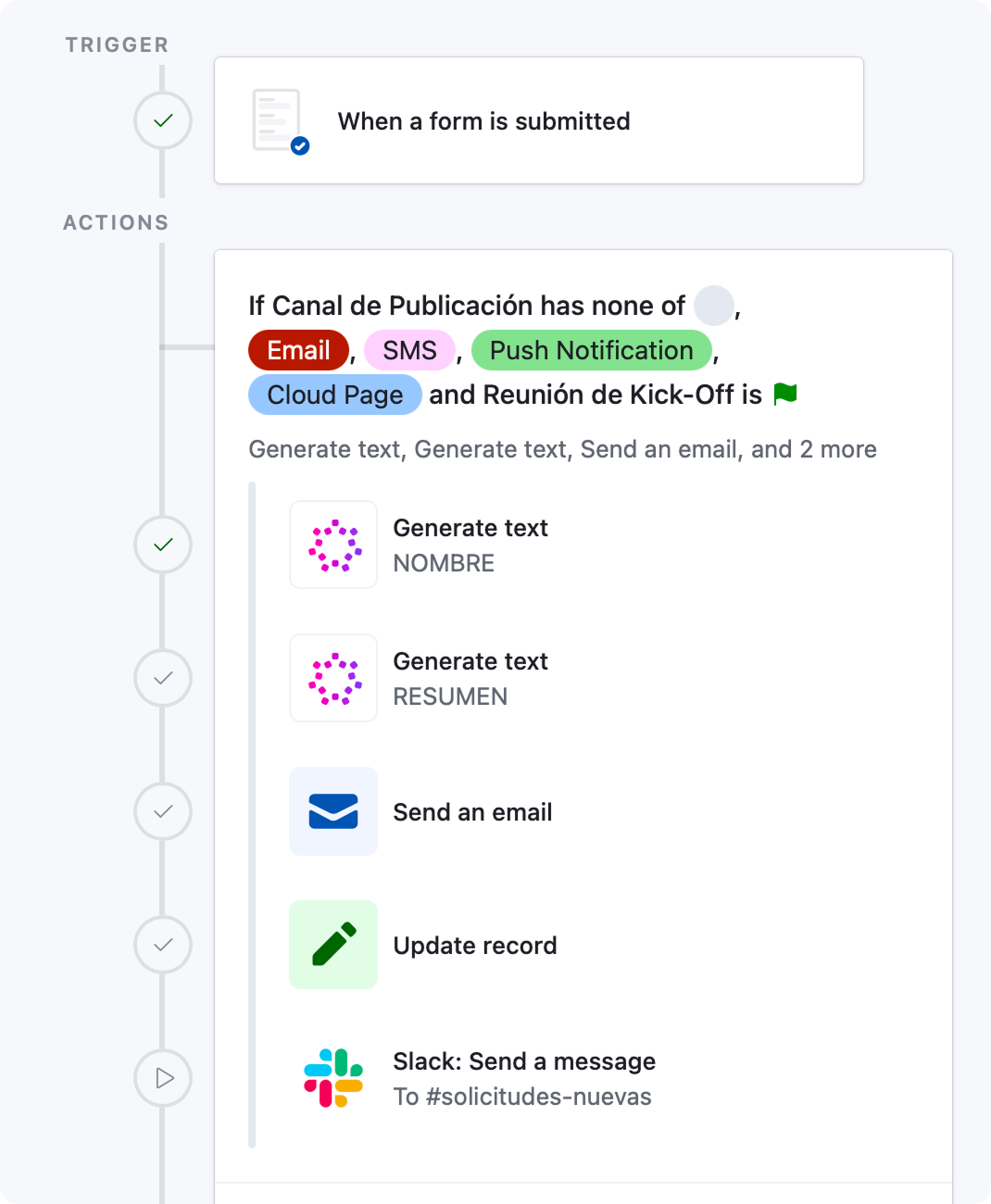
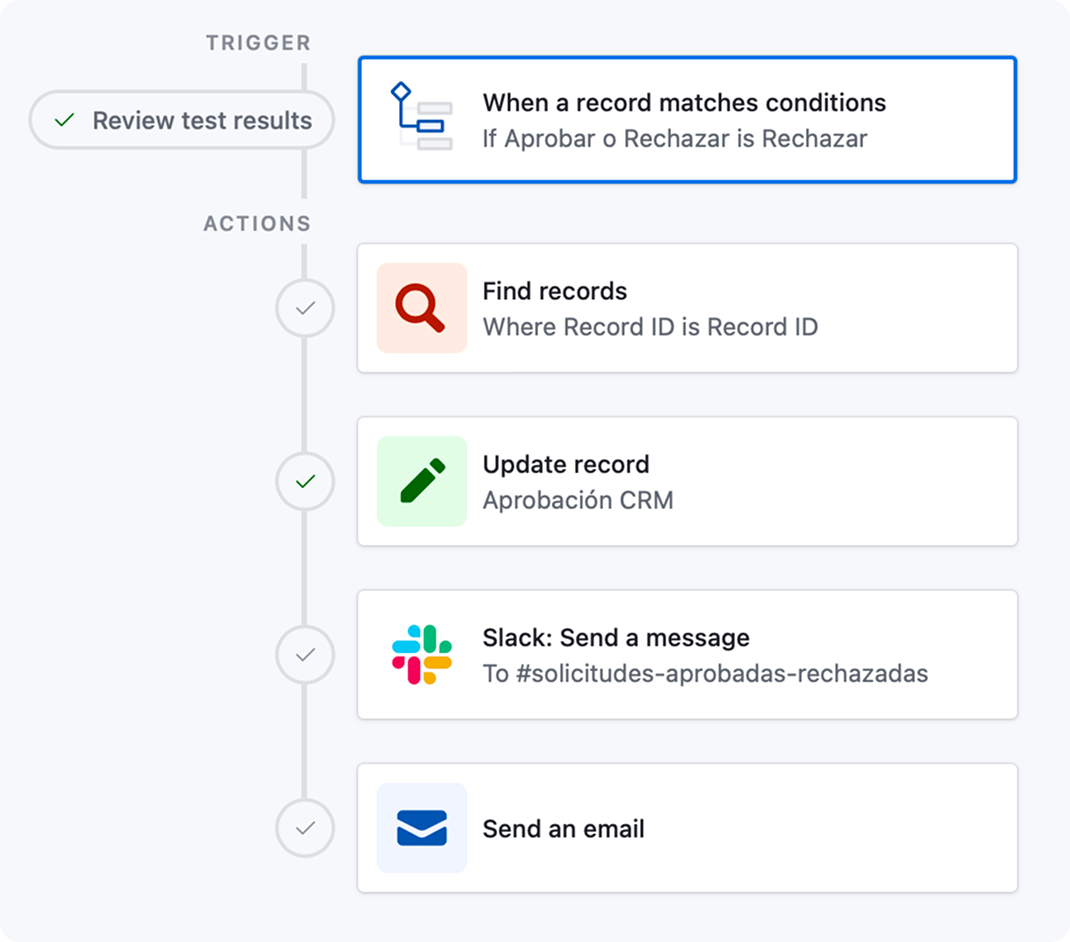
I designed an automated creative operations system, built mainly on Airtable and supported by Slack and institutional email.

Production process
01
Intake & Request
AirtableSlack

The requesting team fills out a structured form with objective, audience, channels, and deadline. The Marketing team receives an automatic alert. If the piece involves client communication, it goes through CRM approval before production begins.

02
Brief & Kickoff
TeamsMeeting

For complex projects, an alignment meeting is scheduled with all involved parties — covering key messages, legal requirements, reference materials, and committed delivery dates.

03
Content & Design
CopyDesignAI

The system assigns each request to the person who will execute it — designer, motion designer, or copywriter — and distributes the workload in an orderly way.

Once Content's copy is approved, Design begins. AI assists with tone review and iteration speed across formats, and brings detailed knowledge of every Actinver product.

03.1
AI Generative Platform2026 Update*
Claude CodeNanoBananaStandalone

Right after the intake form, the request comes straight here and the platform runs it automatically. It reads the brief, pulls from NanoBanana Pro and free stock, and generates the piece grounded in the Actinver brandbook.

Then it adapts the piece for every social media format and delivers it back to Airtable — reviewed for visual quality and copy accuracy. Some pieces that used to take a full day now take less than a minute.

04
QA & Validation
AI Review

AI reviews every piece, making sure it stays on brand, carries the intended message, and has no errors. The responsible person and the Content, Design, and Social leads also validate it.

05
Delivery & Archive
Email48 hrs

The requester receives a link to their materials. They have 48 hours for minor feedback or final approval. Once the window closes, the request is automatically archived with no further changes.

* Step 03.1 was added in 2026 as a standalone AI generative platform, built with Claude Code. Details in “The Platform” section below.

I automated the entire system in Airtable to keep a creative team of 12 people — editors, designers, motion, and copy — aligned with the rest of Marketing and every requesting area.
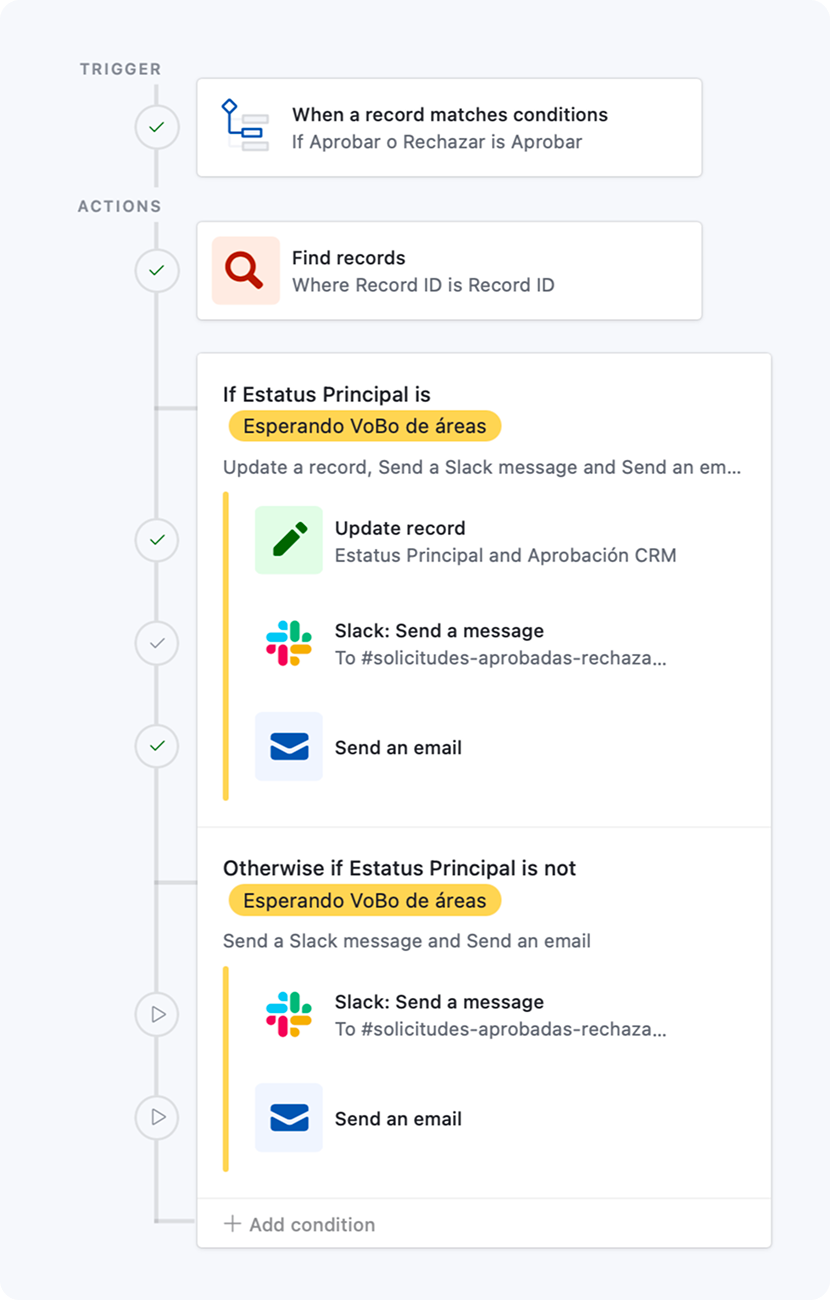
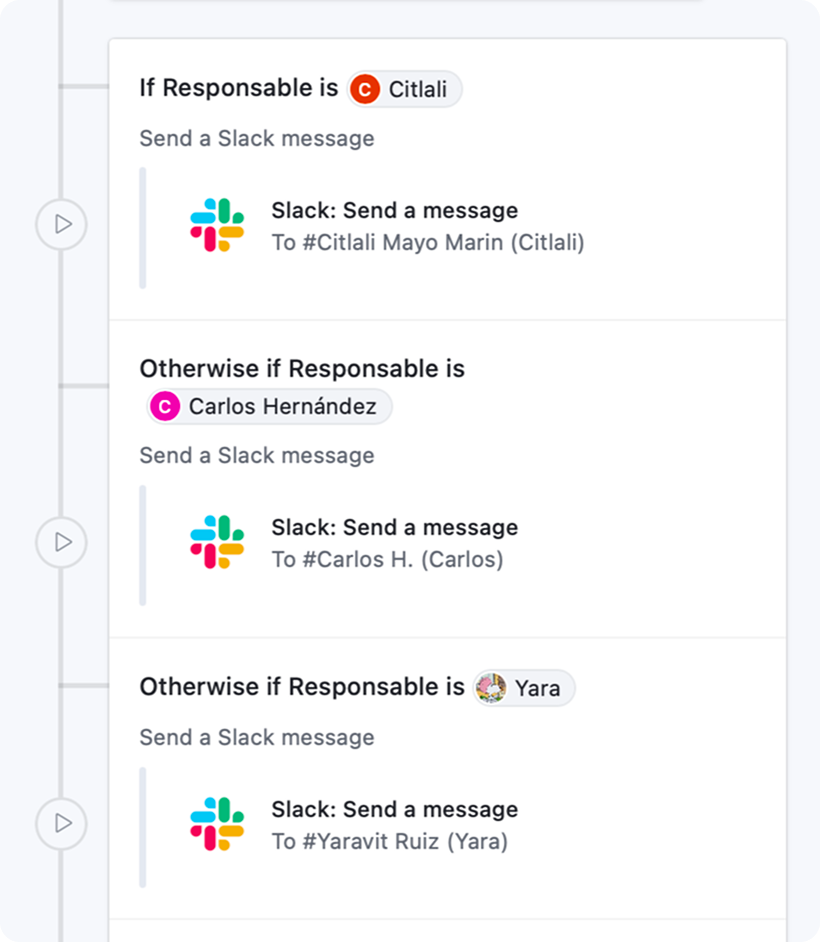
Airtable automations: approvals update the request and notify the team in Slack and by email, image 1 of 4
Airtable automations: approvals update the request and notify the team in Slack and by email, image 3 of 4
Airtable automations: approvals update the request and notify the team in Slack and by email, image 2 of 4
Airtable automations: approvals update the request and notify the team in Slack and by email, image 4 of 4
04

The Platform

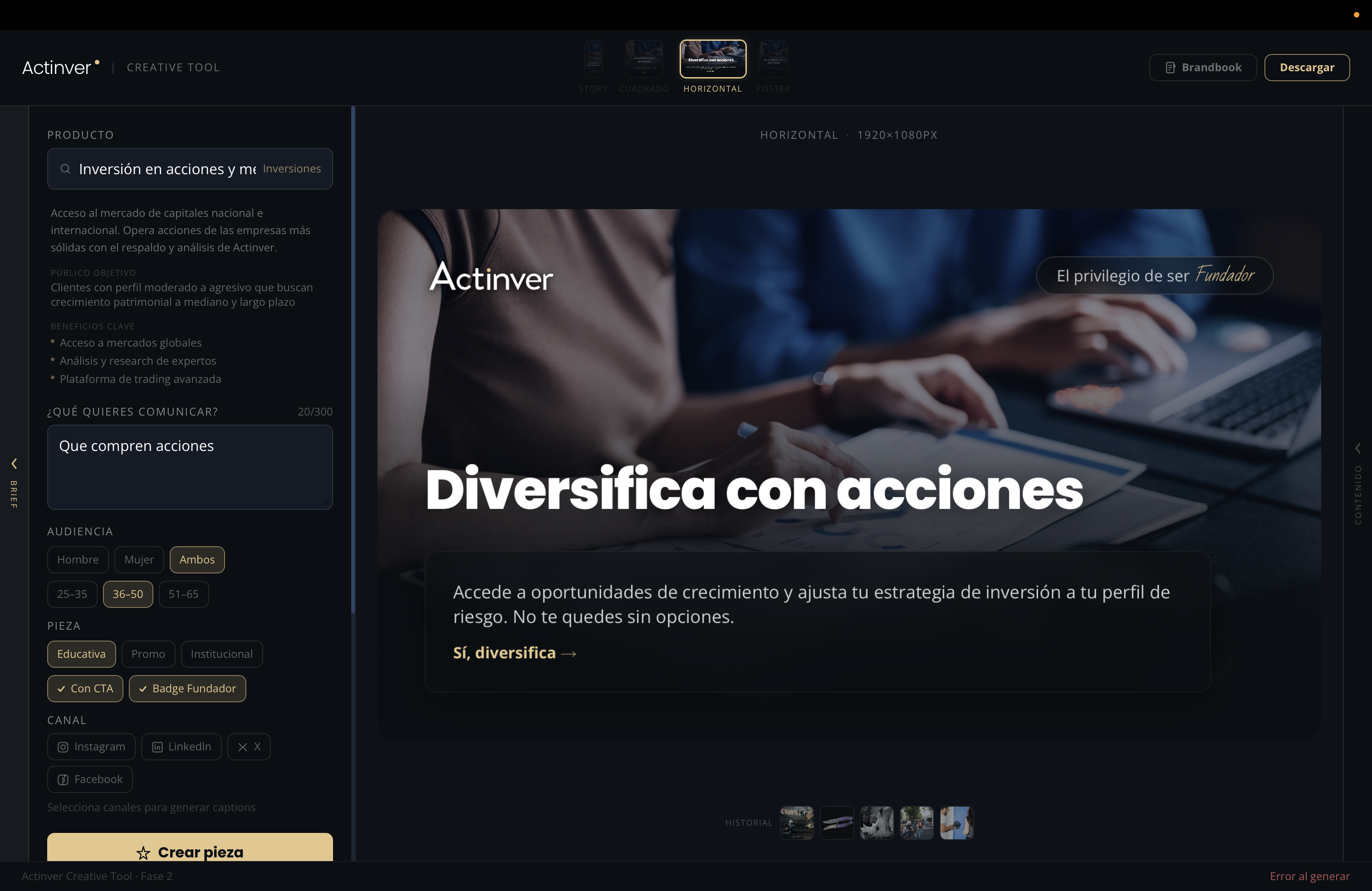
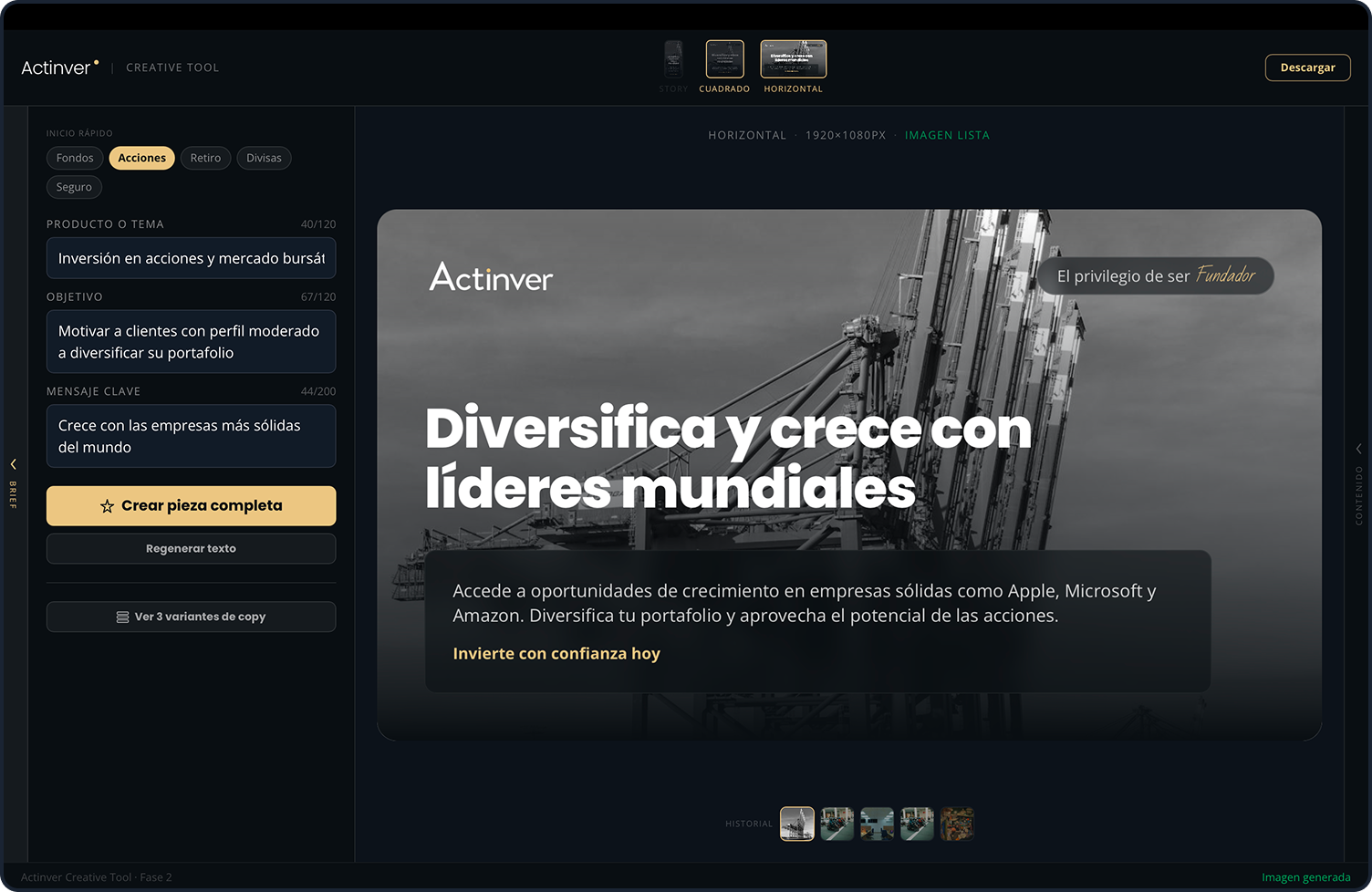
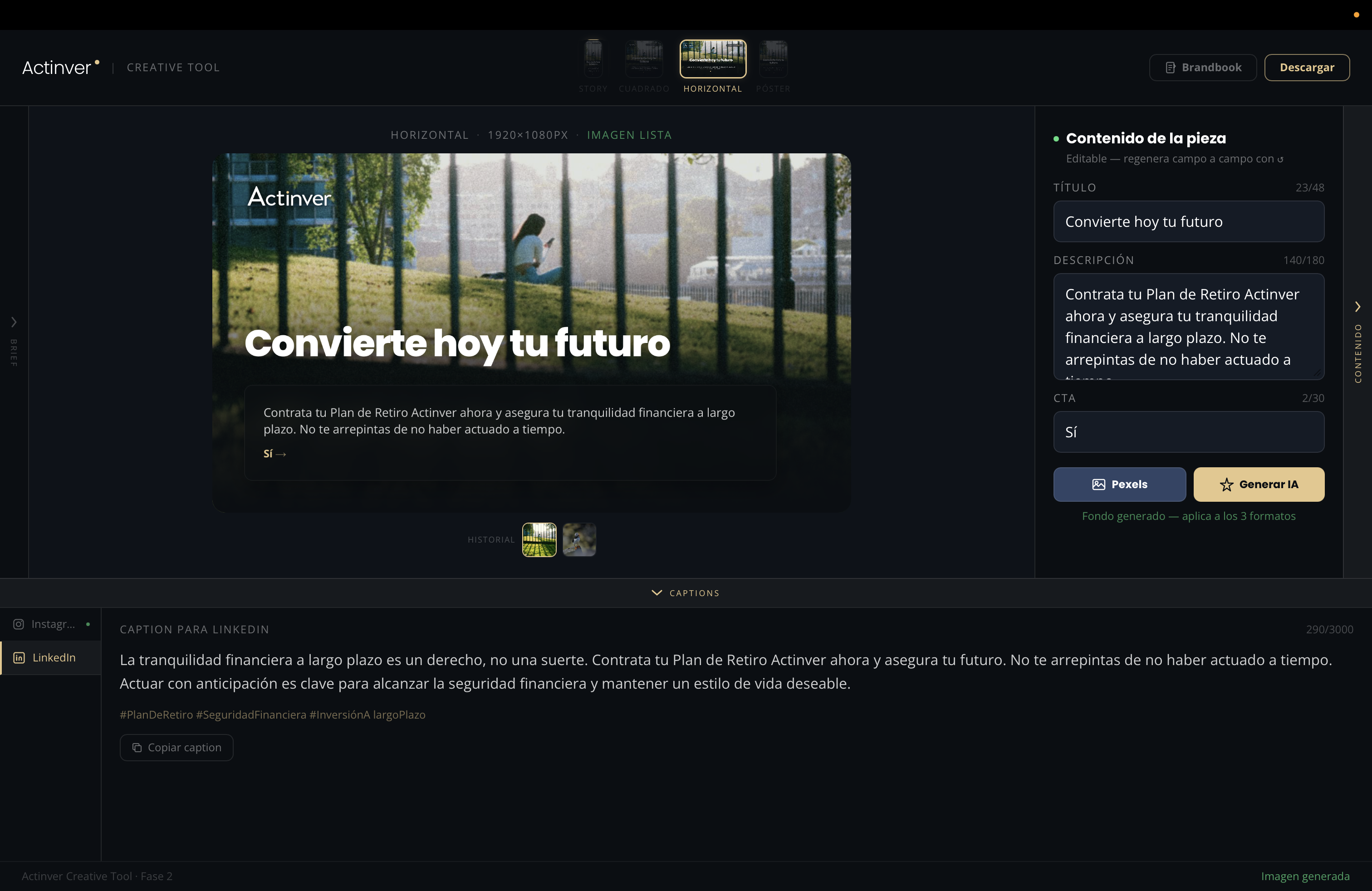
In January 2026, I designed a platform built entirely with AI to create many of the basic materials different areas requested — social media posts, posters, and emails.

It was part of the automated process, but it also worked as a standalone creative platform that anyone at the bank could use, since it followed the brand guidelines.
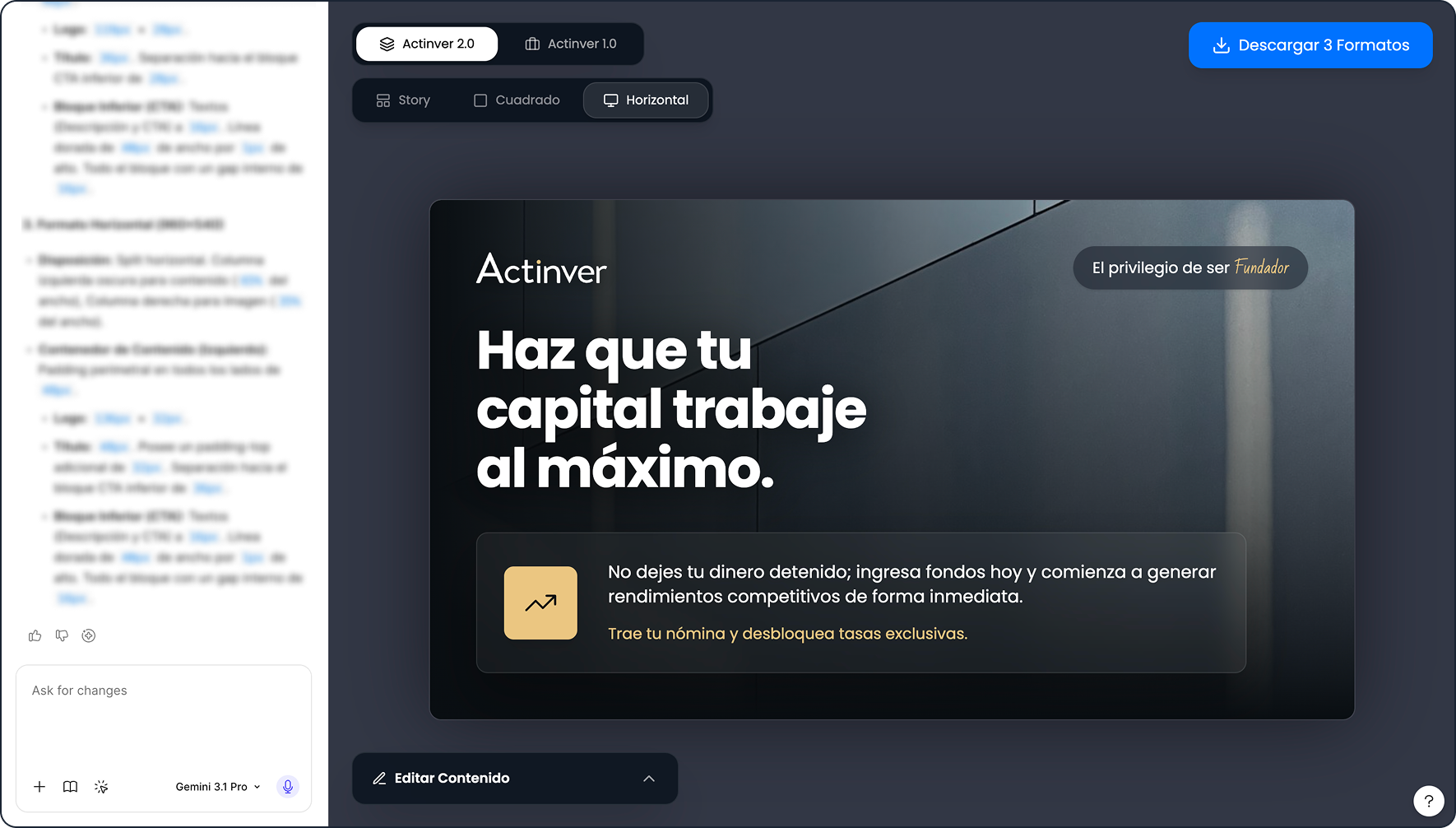
First version of the AI creative platform

Users picked the product they wanted to talk about, the intent, and the goal. The platform suggested several copy options, generated the photography with AI or pulled it from a stock library, and produced every variant they needed.

Prototyped in Figma Make first, then migrated to Claude Code.
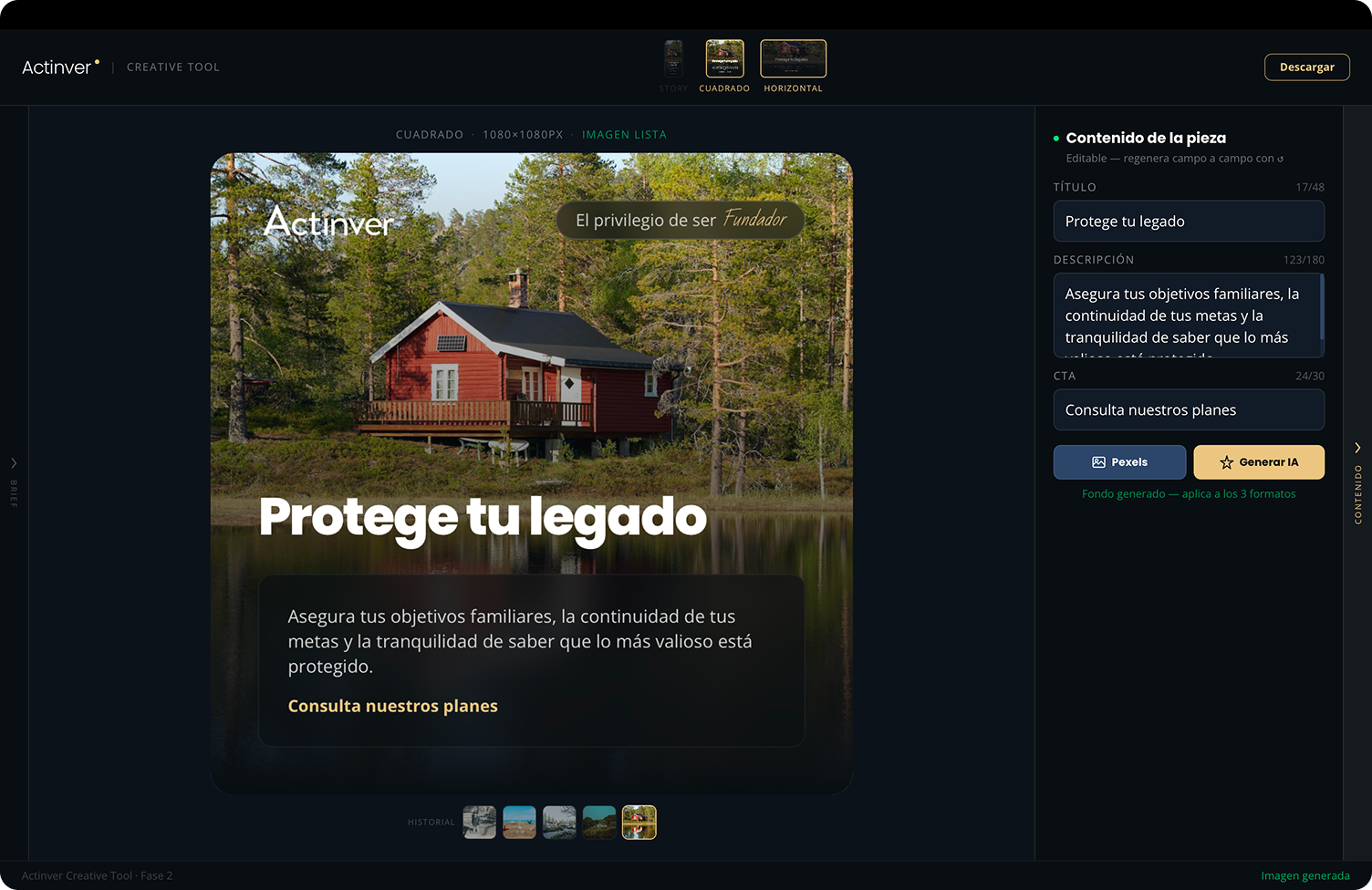
Later versions of the AI creative platform, image 1 of 4
Later versions of the AI creative platform, image 3 of 4
Later versions of the AI creative platform, image 2 of 4
Later versions of the AI creative platform, image 4 of 4
Standalone
Any team member can use it independently
Built with AI
Built with Claude Code
Executive backing
Endorsed by Actinver's main executives
05

Key Deliverables

Centralized intake form
Single entry point
Automated workflow
Stage-based tracking · Ownership
AI validation layer
Automated QA before delivery
Executive visibility dashboard
Real-time backlog · Production metrics
Documentation & training program
Company-wide adoption · v1 → v2 iterations
AI social media creative platform
2026 Update · Social Media Production
Standalone AI platform that reads the brief from Airtable, generates the asset grounded in the brandbook, adapts it for every format, and delivers it back — reviewed and ready.
06

Outcome

First two months: production capacity up 60%, delivery time for creative assets down 80%, after-hours overload gone.

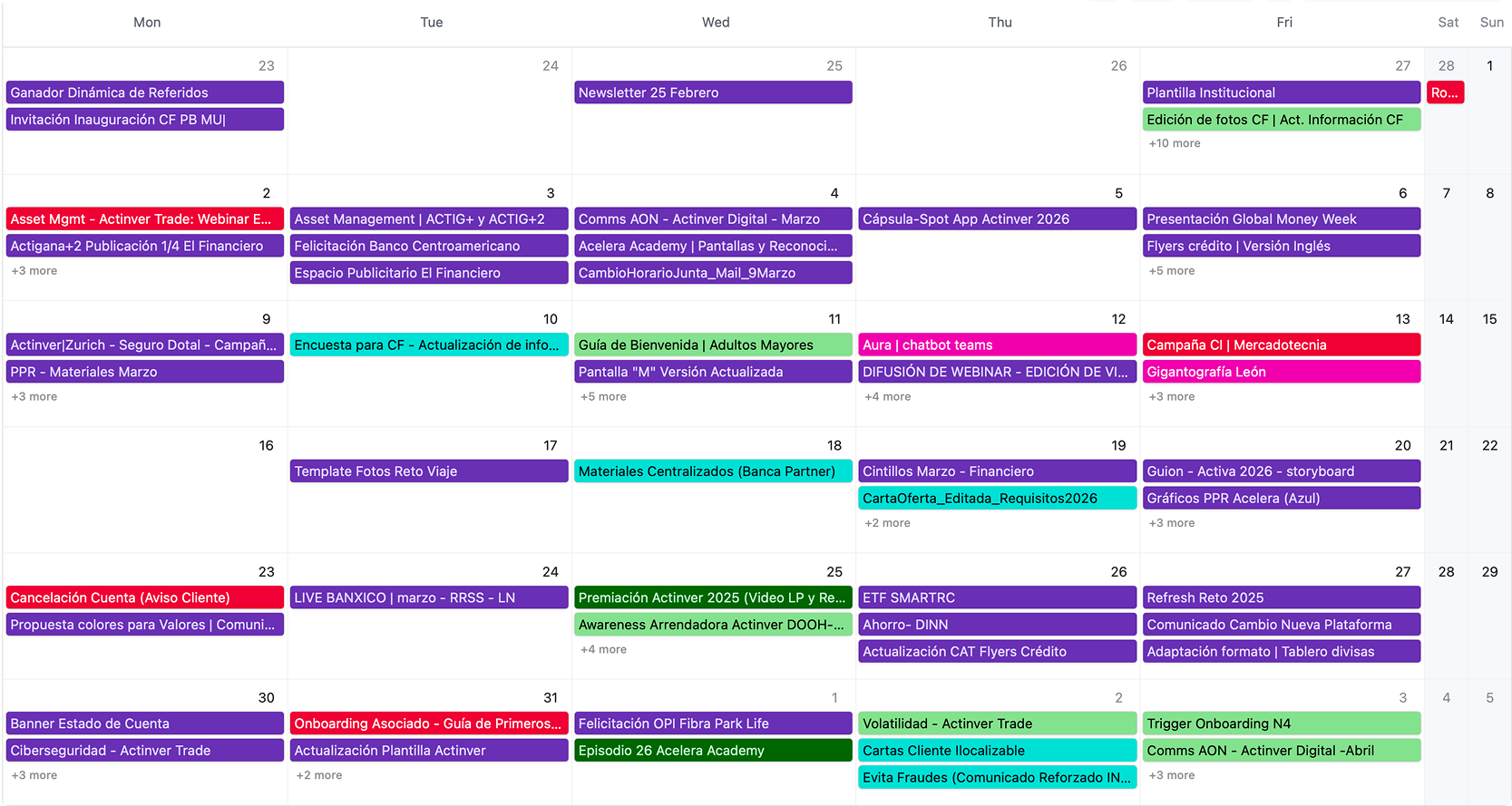
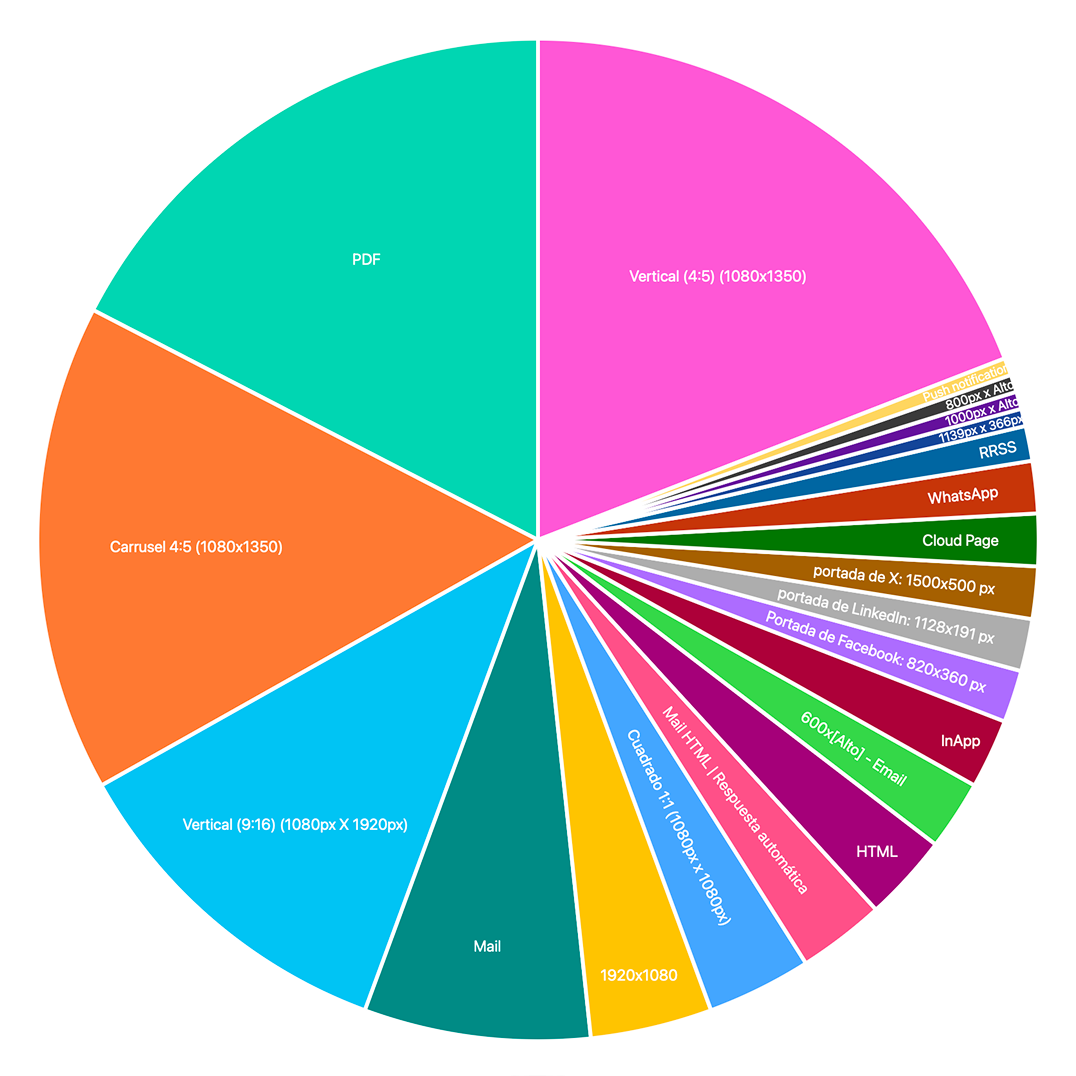
The system showed the organization, and leadership above all, the impact Marketing was generating, backed by evidence and data. For the first time, it made visible what was being produced, for which channels, in which formats, and at what volume.
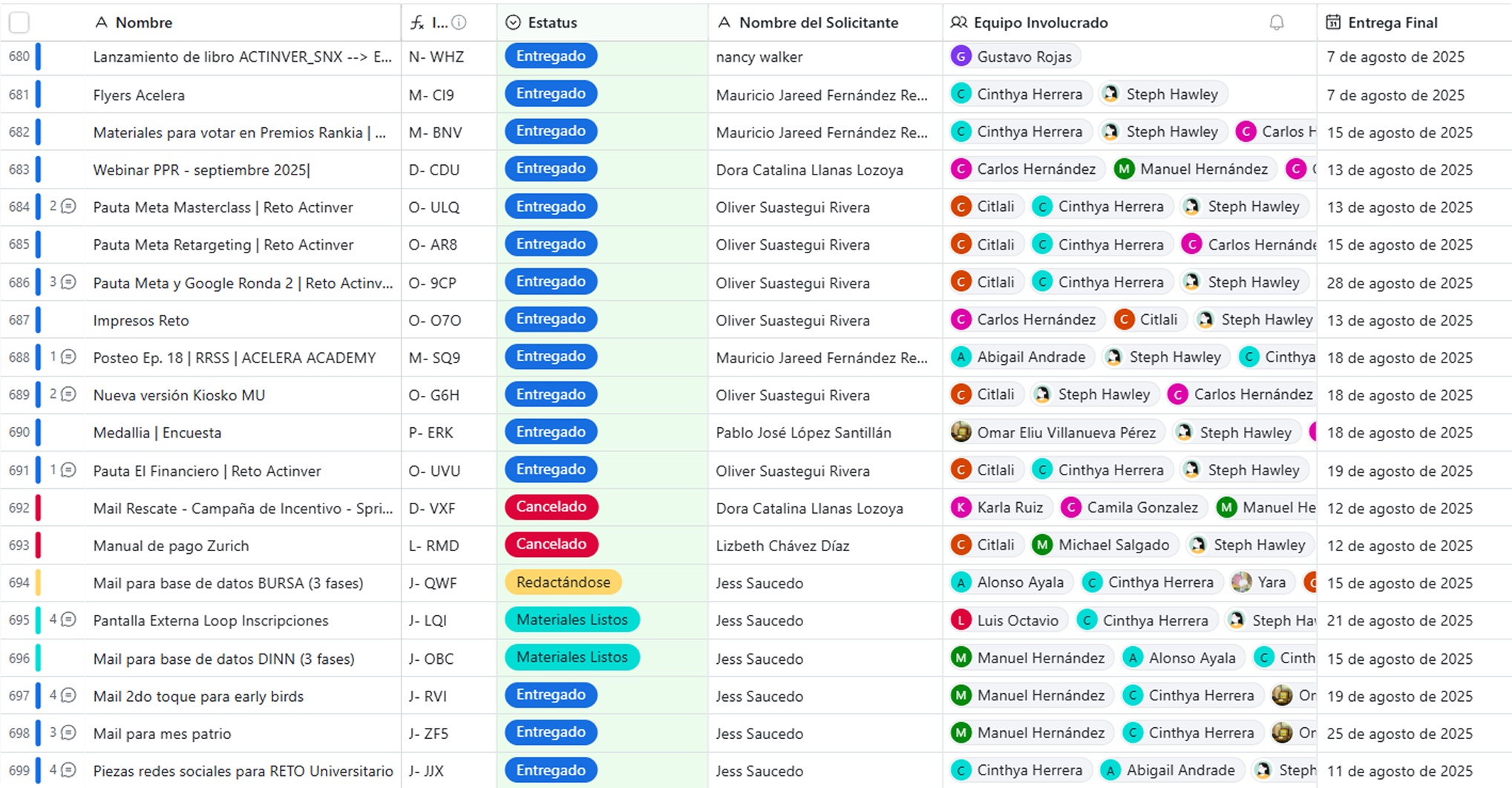
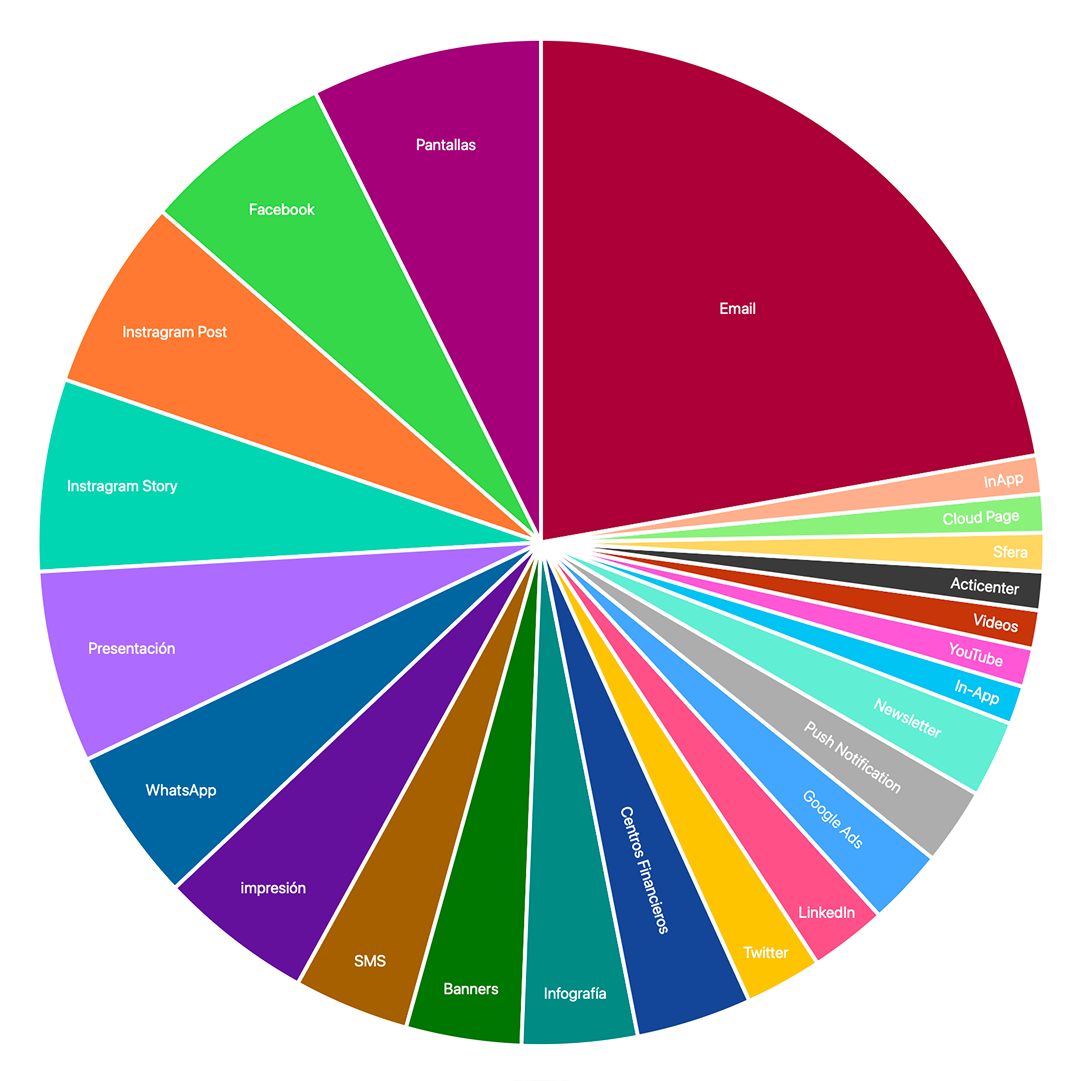
Executive dashboard: request list, production calendar, and output by channel and format, image 1 of 4
Executive dashboard: request list, production calendar, and output by channel and format, image 3 of 4
Executive dashboard: request list, production calendar, and output by channel and format, image 2 of 4
Executive dashboard: request list, production calendar, and output by channel and format, image 4 of 4